I've been pretty in to Guild Wars 2 the last few months. As a result, I've neglected a stalled arduino project - the wireless version of the snail mail notifier. The little TP-703N wireless routers I received back in July have more or less been sitting around waiting for me to finish configuring them. I'll be the first to admit I really dont enjoy networking, so I've been dragging my feet.

In the morning I decided it was time to get things moving. First off would be using router #1 to act as a repeater so that we can get wireless out on the deck and the far end of the kitchen.

By 10am I'd managed to brick it. The device no longer boots up and cannot be pinged.

So I took a break for a few hours, had an awesome lunch with Lori, then came back and got cracking on the second router. The goal with this one was to create a wireless client. This would allow devices like the arduino to plug into the ethernet port and connect to the network wirelessly.

Of course the first thing I had to do was start from scratch - which meant wiping it and reloading everything. That took awhile.

Then I spent several hours trying to configure the device through the web (with LUCI).

Finally I gave up and decided I needed to edit files manually from the command line. Not my favorite thing and I certainly don't use VI editor in Linux enough to remember all the commands.

I did have some help from a very extensive Instructable (you have to actually download all of the text file tutorials) and finally success!

I see a wireless snail mail notifier in the future!

So with the new computer put together I started monitoring the temperature of the CPU. I read several reviews of the stock cooler that came with the AMD FX-8120 (processor).

Idling my computer was at about 51 degrees Celsius. That's a little higher than I'd like. In fact, it's about 20 degrees higher than I'd like.

So I ordered a replacement cooler and it arrived today. 
I ordered the V6GT cooler by Cool Master (I've had a lot of good experience with their products in the past). As you can see, it's a beast. It comes with two fans on either side of the cooling fins that get secured to the motherboard.

Idling I'm now at around 30 degrees Celsius and under a full load the highest I've hit is 49 degrees.

Suffice it to say, I'm happy with the massive cooler. Even if it does take over a large portion of the case and hangs over several of the RAM slots (it was a pain to get everything situated right and not rubbing against each other).

The parts for my new computer arrived today. Anytime a shipment of computer parts arrive it's like Christmas morning. Lots of packaging and unwrapping to do.
Chris says my new case is like a mini-fridge (it is a tower as opposed to a mid tower which is what I normally buy).
The assembly went faster than expected. Each time I build a new computer it seems like more and more components become snap in/plug and play. I'm just happy that I haven't had to manually set the voltage for the processor with (jumpers on the motherboard) in ages.

It also helps to have all of your data stored on a different hard drive than your operating system. No waiting to transfer files!

It is supposed to rain much of the day, off and on. That means not a whole lot of outdoor activities and a whole lot of indoor ones.

There have been a few things lying around that need to be done and today is the day to do them. 

And all of them will be awesome nerdy fun.

First on the agenda was installing the new Nest thermostat. It's a wifi-enabled thermostat lets you control it remotely with Android or iOS apps, and connects to the internet and pulls the weather.

It's an interesting device.
Next on the agenda was loading a better ROM on my Android phone. I received a lot of recommendations for cyanogenmod and it's definitely one I'm going to check out eventually, but I'm not quite ready to give up the HTC sense on my phone so I went with a ROM specific to my EvoShift - MikShifted-G

Flashing a ROM on an Android phone is really easy these days thanks to such a supportive community. The whole thing took maybe half an hour from start (backing up current data) to finish (restoring some backed up app data).
Speaking of awesome communities, you know what also has a fantastic one? iOS. The latest jailbreak, Absinthe 2.0, was the smoothest jailbreak yet. Even easier and smoother than the first greenpois0n jailbreak  I did awhile back on my ipod - and that was pretty easy.
After messing around with some driver and SLI settings on my computer I was able to spend some quality time with the cat while I did some reading on the Arduino. As you can see, I make an excellent lounging extension.

All in all, it was a great day filled with small nerdy projects.

Tomorrow will be filled with my arguing with my PC as I upgrade it to Windows 7.

Joy.

I like to build my own computers. It's kind of nice because I know what is in my machine currently and what I can do to upgrade it in the future if I want. Plus I get to work with a clean OS install (no pre-loaded HP/Dell/eMachine etc crap). Not that you cant take a pre-built machine and reload the OS. But I digress...

One thing I've been itching to do for awhile is have an SLI setup (scalable link interface - aka linking two video cards together). I purchased a motherboad that supported SLI intentionally when I built the machine a little over two years ago and finally (FINALLY) I'm slapping another card in there.

So why would you use SLI? Well for me it's gaming. I can run a fair number of games at max settings, but two video cards - the load shared between them? Yeah, this is going to be awesome. Plus NVIDIA even has some pre-loaded SLI gaming configurations - if you're so inclined to use them.

So anyway, what you see in the photo is the primary (top) and secondary (bottom) card linked together with an SLI bridge. The bridge allows the two cards to communicate directly with each other.

I'm also excited because this means I could easily have a four monitor setup (not that there aren't other was around that, like Chris uses). I did grab a 3rd monitor and tried to hook it up, but I noticed that a certain orange monster destroyed part of the cable...

Chris's computer took a dive and wouldn't turn on this evening. That meant I briefly got to play inside with the guts. And that's always fun.

I spent the evening tweaking a second android tablet. Yes. A second. Why? Because I have a problem.

Impressed with Chris's tablet, I ordered a Coby Kyros 7015 myself and it arrived last night. The first thing I did was root, backup, and put the marketplace on it. That was an easy enough.
Next was the debate between loading Froyo via CyaynogenMod (the tablet ships with Eclair, 2.1) or a custom rom. After reading the discussions back and forth on the forums, I opted to load the custom rom instead of Froyo. I'd like Froyo, but since the headphone jack doesn't work that's kind of a problem (since I want to stream anime on this device).

I initially loaded Watery Rom 1.2b, but I ran into the problems several people seemed to be having with the device locking up randomly (despite clearing cache, etc with ClockworkMod). Finally I threw in the towel and loaded Watery 1.2a. A few things aren't supposed to work properly (gallery, music), but I have an ipod touch for music and I don't know that I care too much about a gallery on the tablet either. Plus I honestly haven't verified that these have issues, so who knows...
Once I loaded Watery Rom 1.2a onto the device all my problems seemed to go away. No more freezing. The only minor issue I have is the stock browser needs to be reinstalled on reboot. Since I'm using Skyfire instead of stock browser, it's not a big deal.

I did load FlashLite 9 on the device as well, but didn't have a chance to really test it out. Chris navigated to a few sites and was disappointed that it didn't default to flash. It sounds like you have to do some surfing and what not before flash seems to work properly. "whatismyflash" does correctly identify version 9 in the stock browser (I haven't had a chance to test skyfire yet, but I did confirm Opera doesn't appear to be running it).
So I still have a few things on my plate I'd like to get taken care of before stopping tinkering for a bit.
  • permanently kill voice search - I dont use this or want it but it loads when applications launch by default
  • overclock the device - it sounds like overclocking might address some speed issues and make this even snappier (mostly just waking issues)
  • Crunchyroll - youtube streams beautifully but the crunchyroll application is horrendeous. I'll have to see if its the app or a setting elsewhere on the tablet. 
Pros
  • snappier than 1.6 (cupcake) tablet. Not as fast as the iPod touch, but pretty good.
  • access to Android marketplace
  • Android has a good hacking/modifying community
  • 7" form factor makes it more portable (I prefer this over 10")
  • came with plenty of accessories (built in stylus, hard-cover case, two USB cords)
Cons
  • Eclair is a phone OS, so some things are optimized for a phone (default orientation is landscape, not portrait, there is a phone app) like Honeycomb would be
  • Resistive screen; it doesn't always register my finger so sometimes I need to use the sylus around the corners.
  • thicker/heavier than more recent tablets. The size isn't off-putting to me, but I think it would be to a lot of people.
And for your reference, here are the tablet specs can be found here.

I spent a big chunk of the morning playing more Rift. I'm getting more into it, and it's a pity the beta closes Monday. I was enjoying the PvP!

In the evening after getting some chores done Chris and I snagged a pizza and settled in for the evening. Originally we were going to watch a movie since Chris had watched most of the commercials yesterday and neither of us care about football. The plans quickly changed while we were watching the Puppy Bowl and realized the snarkfest that twitter could be for the game.

So we set up the laptop with some tweetdeck searches going and let the game play in the background. Most of the evening has consisted with Chris fast forwarding through to the commercials (Thor and Captain America premiered during the game) and me working on the netbook, messing with FAAST keybindings and reading google reader.
As you can tell from Chris's photo, it was an exhausting night for Leki. Too much snark perhaps?

(testing OpenNI with the living room)

I spent a big chunk of the weekend bouncing around in front of the TV playing Kinect games, but the big reason I wanted one was for what you can do with it on the computer. There's a whole host of things out there since the Kinect went on sale, from shadow puppets to street mapping. What caught my interest was the application to desktop games. Specifically - MMOs.
(Chris posing with FAAST running)

So Chris and I spent about an hour fiddling with the Kinect. If you haven't taken a look at and read the page for the Flexible Action and Articulated Skeleton (FAAST) you should. It's awesome and easy to set up. You can see a lot of potential for this.
(Chris and I both using FAAST)

So first thing after getting everything installed (FAAST, drivers, etc) was to try out hands at minesweeper. It's a little different moving forward and backward to navigate on the board, but it works. Originally we had it so if you jumped you'd click the square, but since we're on the 3rd floor of an apartment this quickly got changed to hand waving.

Here's just a quick snippit of what we did to the bindings.txt file:
lean_left 15 key left_arrow
lean_right 15 key right_arrow
lean_forwards 20 key up_arrow
lean_backwards 20 key down_arrow
wave 0 key enter
Just add that to the action tab and hit start input emulation!

Next up is creating a more robust list of actions for LOTRO.

the iDOS app has found it's way back into the app store, this time without the ability to directly open an .exe file. But, no matter. There's an easy work around discussed at touch arcade that involves the use of iPhone Explorer to load the games onto the iPod/iPhone/iPad instead of iTunes.

So i decided to give this a try. I navigated over to http://www.dosgamesarchive.com/ and looked for something I recognized. First game? The Black Cauldron. I remember this game well. I died a lot climbing up the castle wall incorrectly, getting caught in the castle, or in general not doing the right thing. I dont know that I ever beat this game. I'm not exactly sure how old I was when I even got it. I was six when this came out but I dont know if we got it right away. 

Anyway, I digress. I downloaded the game and got it working this way. Just change the bold text to whatever your folder/file name is:
  1. Install iPhone Explorer
  2. Plug in iPod/iPhone; expand App list & navigate to the iDOS app folder (make sure it's not syncing with iTunes)
  3. Drag and drop zip file to the "Documents" folder
  4. Start up iDOS on iPod/iPhone/iPad; hit C:\ icon at the bottom
  5. Type cd games
  6. Type mkdir cauldron
  7. Type cd cauldron
  8. Type upzip cauldron.zip
  9. Type BC.com *NOTE: the .com is similar to an executable file (.exe) and what is used to launch this particular game. Your program will probably be yourprogramname.exe


Here's a list of some DOS commands if you're not sure where you are or need a refresher. 

As for The Black Cauldron - so far it plays fine. You have the option to use a joystick or not (I opt for joystick! didn't have the first time I played this game). One thing that is lacking is the ability to type commands. You can get your commands from the drop down menu in the game, but I was used to typing commands (for example, "look") so it took me a minute. I'd honestly rather play the game on a computer with a full blown keyboard (and the ability to type commands for this particular game) but It's also pretty awesome that I can listen to that cheesy music and run around feeding Hen Wen again.

There's more info at the iDOS official forums and in the Touch Arcade forums where some more enthusiastic individuals appear to have gotten Windows 95 running (on their iPads I believe) as well as a host of other games.

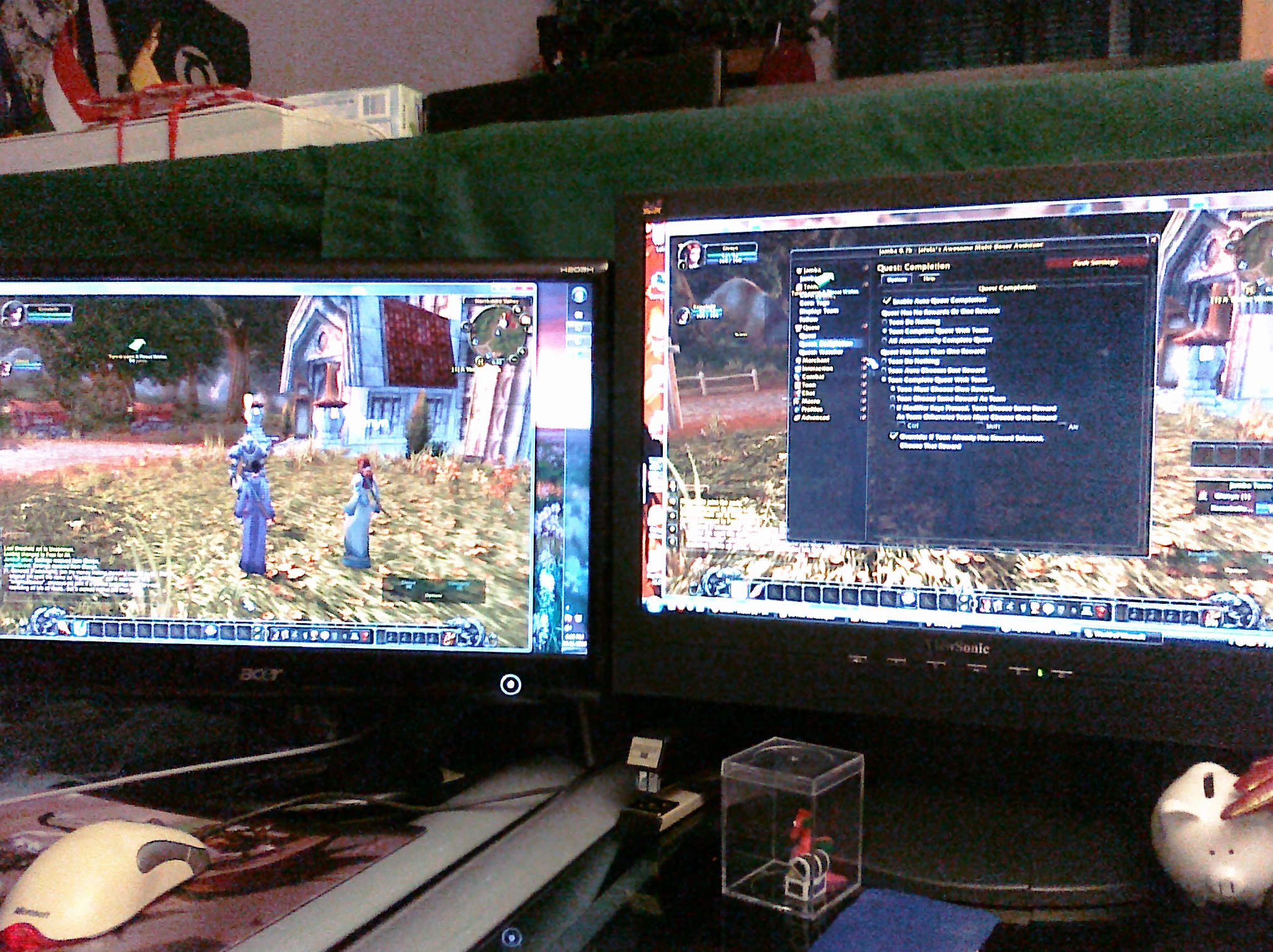
Dual-boxing (controlling two characters at once in a game) is one of those things I've always kind of been interested in but never really explored.  It always seemed like a really complicated setup and I never felt like I had a decent way to do it.   Well, no more.  Yesterday I did some reading at dual-boxing.com (which has a nice wiki) and downloaded some software to try.  I didn't have much success but I didn't spend much time. Today was better, though admittedly I need to research some more before really being successful at it.

As you can see, I'm using World of Warcraft for this experiment since I know the game well and there are a lot of tutorials geared toward it.  Eventually it think it would be fun to try this on other games, but first I have to try to get it working in one I know. So far I've got the keystrokes passing from one computer to the other, but I still have to figure out combat. That's alright through - World of Warcraft trials are 10 days long.

The day to day was mostly crap.  Work was busy and frustrating.  The only saving grace was a delightful lunch with Lori that recharged me enough to take on the afternoon.

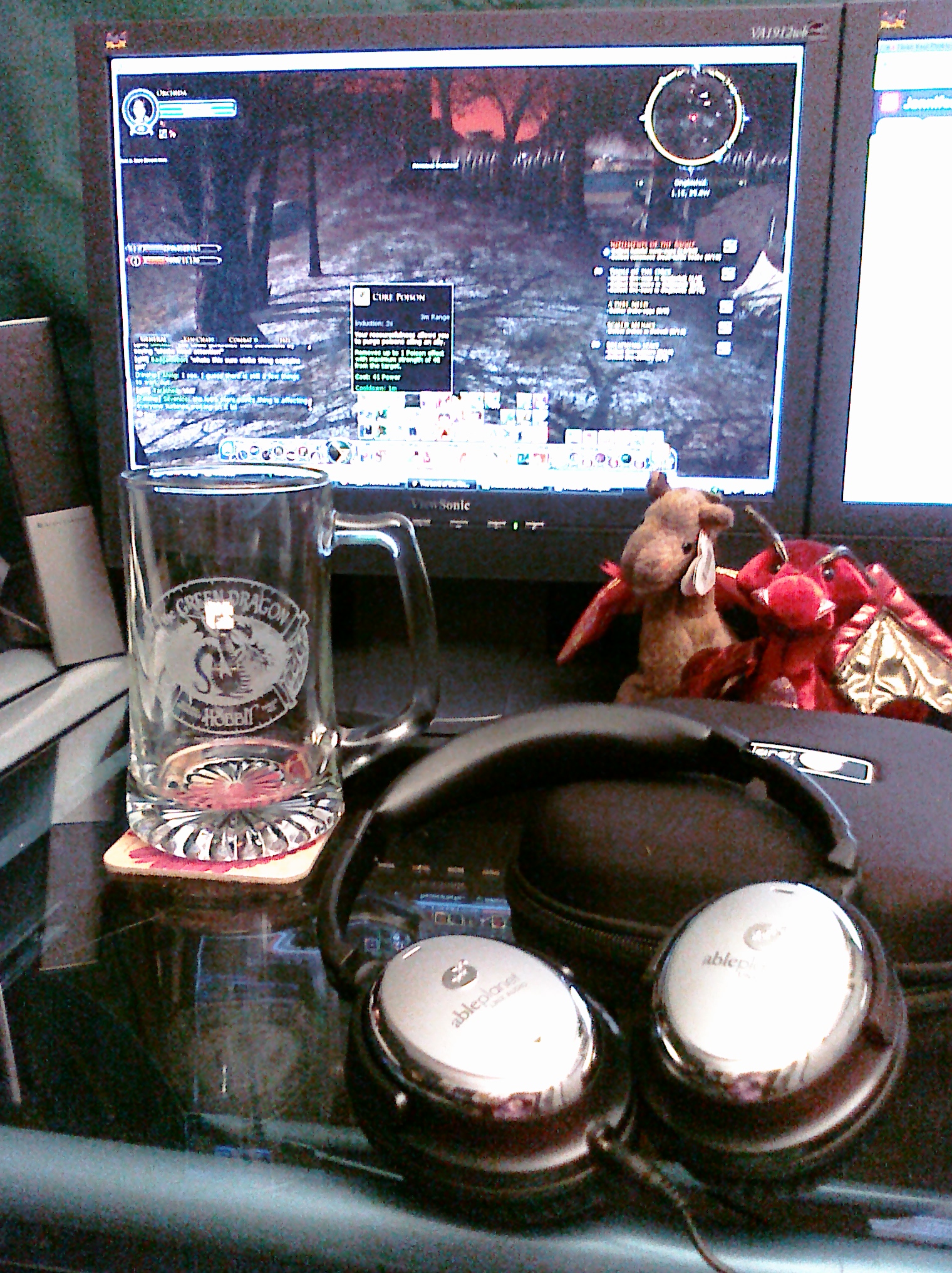
The evening shaped up to be much better.  The noise cancelling headphones I'd ordered off of woot.com arrived today, so I played around with those a bit. Very nice.  I like them a lot.  I played some Lord of the Rings Online a bit and heard all kinds of things I never really noticed before, like walking through grass.  Mostly that's because I keep my computer sound down.  So these will be fun to use.

I also received a Taverncraft mug I'd ordered.  I'm a huge fan of dragons (if you can't tell from the above photo with two stuffed dragons in it) so when I heard they were making a Green Dragon Inn Stein AND that I could get a discount on it - I snagged one.  I've already been using it and have managed to chug down a lot of water. I can't even imagine what things would be like if I ever filled it with alcohol.

So the day ended on a good note.  And that's always a good thing.

<-- This is a very beefy mouse.  It's not your average mouse. It's a Razer Naga mouse.  It has 17 customizable buttons.  Why? It's designed for computer gaming, but you can also program the buttons for anything.  So if you do a lot of work in photoshop or something else you can map those items to the individual buttons. Yeah, I know. It's excessive. But it's cool (and it glows blue, so extra brownie points).

Today has been a relatively windy and overcast kind of day.  I'd hoped to get out to the PJ Hoffmaster park and take some photos for the Lord of the Rings Online photo comparison blog, but the rain made me think better of it.

Of course in the afternoon there was a long dry period. So Chris and I took a long walk (just under 6 miles) and enjoyed the cooler weather.  We hit the overpriced used computer store on 28th while we were out and about.

I also decided to make a mithra-reskin on Gyshal.  I tried to maker her as orange as possible and named her after Leki.  She's way cooler and more graceful though. Well..and female...

Yeah, I could talk about the nap I took, the errands we ran, the laundry we did, or the 4th SATA drive I installed in my main desktop.  I could have even snapped photos of all of that.  But no - I completely forgot.  I spent most of the day waiting patiently until other things were finished up (since the weather was so lackluster for the first day of vacation) to play the open beta of Final Fantasy XIV.

It's a beautiful game.  I love Lord of the Rings Online. I love it to death and I think it's stellar but this game is newer and at first glance has a bit more detail going on - graphics-wise.

So yeah, it's pretty.  And if you're a fan of Final Fantasy XI then you'll probably feel at home and love the feel of this game.  As for me - I spent most of the time annoyed at how menu-intense the game is, just like Final Fantasy XI.

Still, there are plenty more days left in the open beta so I'm going to keep trying and get over the annoyance with the controls to try to enjoy the game. And maybe tomorrow I'll figure out how to turn off the UI for better screenshots...

Right now it's a game that both Chris and I are new to which means I don't have an advantage over him like I do in Lord of the Rings in terms of mechanics and quest familiarity.  So that's awesome.


The day was a crazy whirlwind of activity.  I spent all day Monday and Tuesday in training so that left me with Wednesday to get everything in order before I leave for vacation until after Labor Day.

That also means I didn't take a moment to think about a photo for this blog until about 11pm.

So what are you looking at? The "this page cannot be displayed" screen I kept getting trying to register for the Final Fantasy XIV open beta that launched at 10pm today.

I finally received the beta key in my email a little after 11pm, which meant I could go to sleep.  I'd have tried it in the morning but I wouldn't be surprised if Square-Enix closed the beta key giveaway because of the number of people already signed up.

With a 3-day weekend ahead of me before starting a new job on Monday I decided to get some things done. First and foremost Chris and I went shopping for a father's day gift (better late than never).

After that I headed over to my first physical therapy appointment and was given a fancy giant battery-powered (apparently) band-aid and some homework. Bleh.

Chris also hooked up an extra pen tablet to my computer. I'm really not that comfortable with the controls but imagine it would be easier to adapt to than a trackball was. 

I'll have to brainstorm uses for it. For now I can just write goofy messages for this blog.

The World Cup is starting in South Africa and what better way to celebrate it than load a World Cup application onto my Android Tablet?

Admittedly, I'm not a huge sports fan, but I have an appreciation for Football, or Soccer as it is called in the United States, over most other traditional United States sports. 

So I'm testing this application out (and a few others) to show off the tablet properly next weekend for Father's Day. And what better way to show a new gadget to a gadget lover than to do it with their second love - Football.

Monday morning we woke to the sounds of thunder and rain.  Leki was his usual self, virtually unphased by either one.  Since the weather was bad to go out and have a picnic, I set to finishing off the extra tower that was lying around in the office.

That took up a large chunk of the morning and I finally eliminated a bad CPU and reset all the components (it's a tight fit in that case).

We then headed out to get another monitor, since all of the ones in the apartment were in use and really...CRTs are a smidge heavy and large for my glass desk.

Once we snagged one of those I finished setting up the computer Leki needed a nap - it's exhausting napping in all those new places!

We spent part of the afternoon playing Lord of the Rings Online.  Honestly, that was my main motivator to finish off this computer.  So we played around in Middle Earth with a classic tank/healer combo.

Chris also spent some time with his new tablet and he was able to make some changes to some files he was loading so now they're snappier and the tablet works smoother.  He has some thoughts posted here (complete with audio!).

Awhile back I had to rebuild my main computer and as a result I have a few spare parts left over.  Ok, not a few. I had enough to rebuild another machine.  So the other day I tried and determined that it was really likely an issue with the motherboard and/or processor.  Luckily I had a spare processor, but not a spare motherboard. So had to purchase a motherboard and heatsink.

Well they arrived the other day and I set to trying to build the machine.  Everything is slapped into the case, but there are still a few things I need to troubleshoot, since I'm getting no video.

Not a super rush, since it's not a primary machine. I'll likely tinker with it Monday again. 

Later the car got a bath, not administered by me.  Chris is much more diligent (and rightfully so) about keeping up on the maintenance of my new car.  So while we were out yesterday evening we swung into a self-wash station and he washed the car.

My main desktop has been down for the better part of the month. Between gaps in pay and the busy schedule of work/school, I haven't had a lot of time to work on the machine. I've troubleshooted it here and there, swapping out various pieces for new ones...to no avail. So when all the parts necessary to build a secondary machine arrived earlier in the week, I sat down to work on it.

I made a pretty large mess once I discovered I couldn't simply swap out the old CPU for a new one. I'm still not a 100% sure what was wrong with the old setup, but I suspect it might be the motherboard and the CPU (based on all the hardware swapping I had done earlier and the fact that I could duplicate the issue with the new motherboard and old CPU but a new CPU and the old motherboard still had a problem) but who knows. That's a project for another day. The bottom line is - I now have a working desktop again! Dual screens, I love you.

So after all that was done I feel asleep on the couch, basically pinning Chris in place for several hours. Apparently after I fell asleep, Leki followed suit.

Ah...thats how Saturday's should be.